Product photo cutouts
Prepare items for a shop, catalogue or presentation. Place the transparent PNG on the background you need.
 TEXTOOLS Background RemoverAll tools
Isolate your subject. Refine the edges. Download a transparent PNG.
Drop your image here or choose a file.
Your selected image stays on your device until you start.Very similar colors, glass or obscured edges may need a touch-up. Compare the result with the original and use Erase or Restore to adjust individual areas.
A PNG at the original resolution with a real alpha channel. The checkerboard and preview color are not exported. Save animated images as a single PNG or JPEG first.
Processing runs on the TEX server. Once the PNG is retrieved, the page requests immediate deletion. Server files are automatically deleted after 15 minutes at the latest. The preview and brush edits stay only in this tab’s memory.
No sign-up, no watermark. Your subject keeps the original image dimensions.
Choose a PNG, JPEG or WebP. Your image is uploaded only when you select “Remove background”.
Compare the original and result. If needed, erase or restore individual areas with the brush.
Download the finished cutout at its original dimensions and use it in your next design.
These examples were processed with TEX Remove and resized for display.
 Original
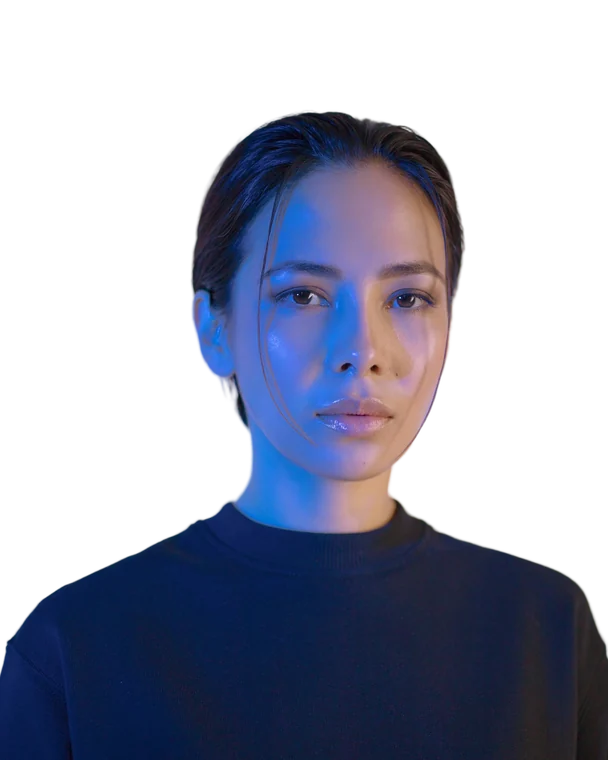 Background removed
 Original
 Background removed
Example photos: Unsplash. Results vary with the image. Image licence (new tab)
Prepare items for a shop, catalogue or presentation. Place the transparent PNG on the background you need.
Separate people from busy backgrounds. Compare hair and clothing with the original and refine edges where needed.
Use animals, objects or other subjects in new compositions. The alpha channel also preserves soft transitions.
Yes. TEX Remove requires no account, adds no watermark and does not charge for PNG downloads. Capacity and usage limits help keep the shared server available.
Choose your image and start background removal. Review the result, then select “Download PNG”. The PNG contains a real alpha channel. The checkerboard only shows transparency in the preview and is not included in the download.
Yes. The exported PNG keeps the dimensions of the correctly oriented original image. The AI uses an adjusted resolution internally for detection; the output is mapped back to the original dimensions.
The model accounts for soft transitions and fine contours. Individual hairs, glass, reflections or similar foreground and background colours can still need adjustments. Use Erase and Restore to refine the result directly in the tool.
Single PNG, JPEG and WebP images up to 25 MiB and 25 megapixels are supported. Save animated files as a still image first. PNG images that already contain partial transparency are also supported.
Usually about one to two minutes on this server, and sometimes longer depending on the image and demand. The page shows the queue and current processing step. Keep this tab open; changing the language does not interrupt processing.
Your image is sent over an encrypted connection to the TEX server only when you start processing. Background removal runs there without an external AI image service. After receiving the result, the page requests deletion; the server removes the image and result no later than 15 minutes after the job was created. Previews and edits remain in this tab’s memory.
TEX Remove charges no additional licence fee for results and claims no rights to your images. Whether you may publish or commercially use a particular image depends on your rights to the source image and, where applicable, the rights of people or brands shown in it.